🚀 Introduction
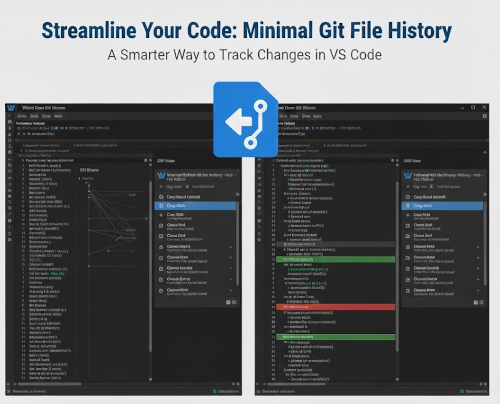
Minimal Git file history is a VSCode/Cursor extension that brings the powerful Git history navigation experience from JetBrains IDEs to Visual Studio Code and Cursor. If you’ve ever missed the seamless way IntelliJ IDEA or PyCharm handle file history, diffs, and blame annotations, this extension is for you.
🤔 Why I Built This Extension
As someone who has worked extensively with both JetBrains IDEs and VSCode, I noticed a significant gap in the Git history navigation experience. While VSCode has several Git extensions available, none of them quite captured the intuitive and comprehensive approach that JetBrains IDEs offer.
The Problem
When working with Git in VSCode, developers often face these challenges:
❌ Fragmented workflow: Switching between multiple tools and panels to view history, diffs, and blame
❌ Limited context: Hard to understand how a file evolved over time
❌ Complex comparisons: Difficult to compare arbitrary commits
❌ Poor blame integration: Inline annotations are either missing or poorly integrated
The Solution
Minimal Git file history aims to solve these issues by providing:
✅ Unified interface: Everything you need in one dedicated sidebar
✅ Complete history view: See all commits affecting a file at a glance
✅ Flexible comparisons: Compare any two commits, or commits with working directory
✅ Seamless blame annotations: CodeLens integration for instant commit navigation
✨ Key Features
📜 File History View
The extension provides a dedicated sidebar tree view where you can:
- Browse the complete commit history for any file
- See commit details (hash, author, date, message)
- Click on any commit to view the file at that point in time
- Navigate through parent/child commit relationships
🔍 Diff Viewer
Compare versions effortlessly:
- Compare with Previous: See what changed in each commit
- Compare with Working Directory: Check your current changes against any commit
- Compare Two Commits: Select any two commits to see differences
- Visual side-by-side comparison using VSCode’s built-in diff viewer
👤 Git Blame Annotations
Understand code authorship:
- Inline annotations: See who last modified each line
- CodeLens integration: Click on annotations to jump directly to the commit
- Toggle on/off: Enable or disable with a single command
🎯 How to Use
View File History
Three easy ways to access file history:
- From Explorer: Right-click on any file → “Show Minimal Git file history”
- From Editor: Right-click in the editor → “Show Minimal Git file history”
- Command Palette:
Ctrl+Shift+P(orCmd+Shift+Pon Mac) → “Minimal Git file history: Show Minimal Git file history”
The history will appear in the dedicated “Minimal Git file history” sidebar view.
Compare Versions
# Compare with previous commit
Right-click on a file → Compare with Previous Commit

# Compare with working directory
Right-click on a file → Compare with Working Directory

# Compare two specific commits
Right-click on a file → Compare Two Commits
Git Blame
# Toggle blame annotations
Right-click in the editor → Toggle Git Blame

# Or use Command Palette
Ctrl+Shift+P → Minimal Git file history: Toggle Git Blame
⚙️ Configuration
The extension offers several customization options:
minimalGitFileHistory.maxCommits
Type: number | Default: 100
Maximum number of commits to fetch when viewing file history. Higher values may slow down loading for files with extensive history.
minimalGitFileHistory.blameEnabled
Type: boolean | Default: true
Enable Git Blame annotations by default. When enabled, CodeLens annotations show commit information above each line.
minimalGitFileHistory.dateFormat
Type: string | Default: "relative"
Date format for commit display in the history view:
"relative": Shows relative time (e.g., “2 hours ago”, “3 days ago”)"absolute": Shows absolute date and time (e.g., “2024-01-15 14:30:00”)"both": Shows both formats
minimalGitFileHistory.autoLoadOnFileSelect
Type: boolean | Default: false
Automatically load Git history in the panel when a file is selected or opened in the editor.
Example Configuration
{
  "minimalGitFileHistory.maxCommits": 200,
  "minimalGitFileHistory.blameEnabled": true,
  "minimalGitFileHistory.dateFormat": "both",
  "minimalGitFileHistory.autoLoadOnFileSelect": true
}
📦 Installation
- Open VSCode or Cursor
- Go to Extensions view (
Ctrl+Shift+X/Cmd+Shift+X) - Search for “Minimal Git file history”
- Click Install
- Reload the window if prompted
Or install via command line:
code --install-extension WaYdotNET.minimal-git-file-history
🔧 How It Works
The extension leverages Git commands under the hood:
git log- Fetch commit historygit show- Get file contents at specific commitsgit diff- Generate diffs between versionsgit blame- Show blame information
All Git operations are performed in the background, and results are cached for optimal performance.
🎯 Requirements
- VSCode: 1.80.0 or higher
- Git: Installed and available in PATH
- Git Repository: The workspace must be a Git repository
🐛 Troubleshooting
No commits found
- Ensure you’re in a Git repository
- Check that the file has been committed at least once
- Verify Git is installed:
git --version
Git commands failing
- Ensure Git is in your system PATH
- Check repository permissions
- Try running
git statusin terminal
Blame not showing
- Ensure
minimalGitFileHistory.blameEnabledistrue - The file must be tracked by Git
- Try refreshing the editor or toggling blame off and on
🚀 Future Improvements
I’m continuously working on improving the extension. Planned features include:
🔍 Search in commit messages and authors
📊 Visual timeline view
🏷️ Tag and branch annotations
🔀 Merge commit visualization
⚡ Performance optimizations for large repositories
📢 Conclusion
Minimal Git file history bridges the gap between JetBrains IDEs and VSCode, bringing a familiar and powerful Git history navigation experience to your favorite editor.
Whether you’re debugging code, reviewing changes, or understanding code evolution, this extension makes Git history exploration intuitive and efficient.
✨ Comprehensive file history navigation
✨ Flexible diff comparisons
✨ Integrated blame annotations
✨ Familiar JetBrains-like experience
The extension is open-source and available on the VS Code Marketplace.
📌 GitHub repository: WaYdotNET/minimal-git-file-history
Feedback and contributions are welcome! 🚀
📬 Stay Updated
Follow me on GitHub and check out my website for more projects and updates!
Have you tried the extension? Let me know your thoughts and suggestions!